
How to Teach Online from Algeria: Equipment, Tools and Payment
To teach online from Algeria you need a laptop, a headset, stable internet with 4G backup, Google Meet or Zoom, and clear payment such as a CCP transfer via BaridiMob.
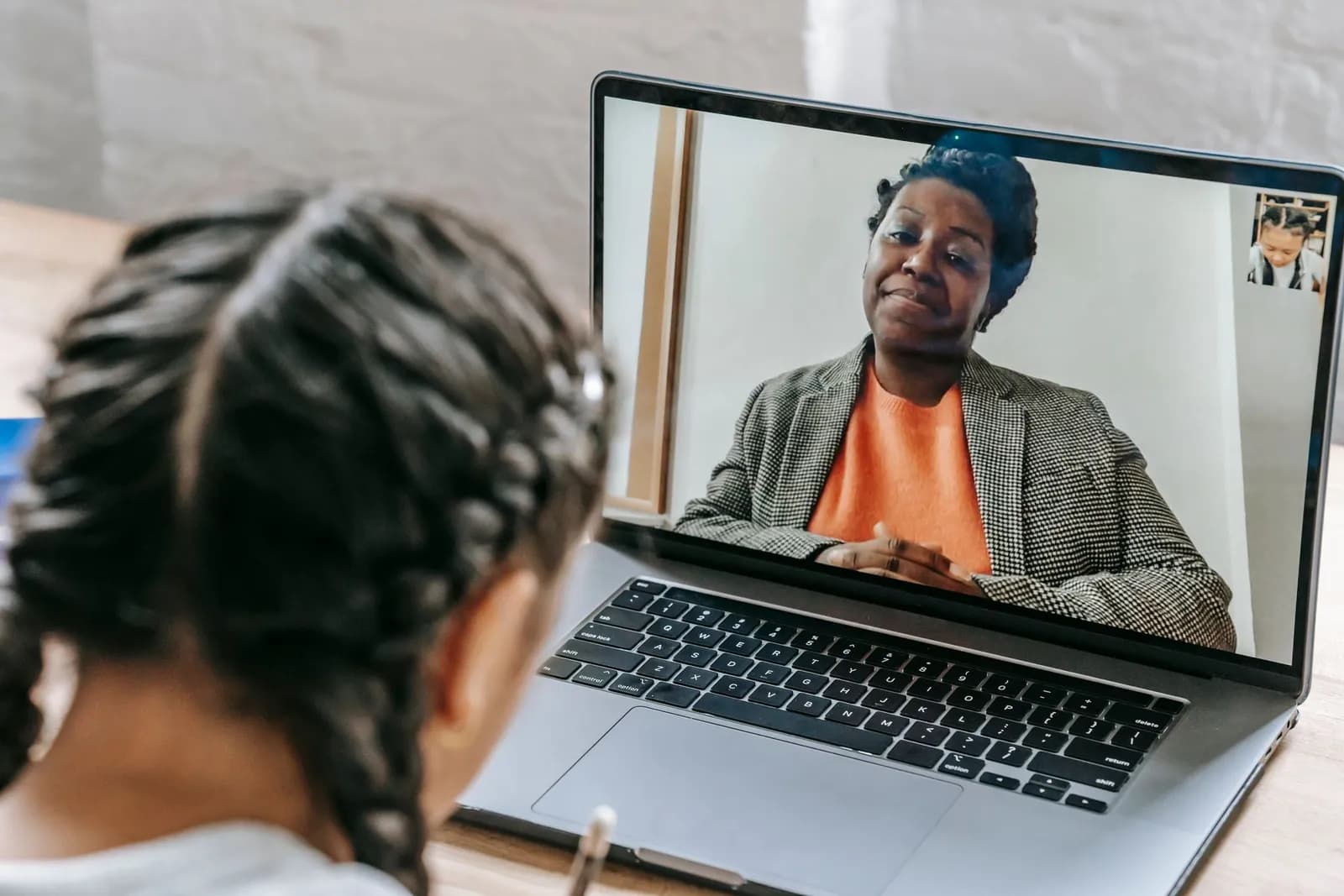
To teach online from Algeria, you need five things: a device (a laptop or a good smartphone), a headset with a microphone, a stable internet connection with a 4G backup, a video-call tool such as Google Meet or Zoom, and a payment method agreed in advance, for example a CCP-to-CCP transfer through the BaridiMob app. With this simple setup you can teach students in all 58 wilayas without leaving home. This guide covers each element in detail, with practical advice on structuring lessons and working with parents.
What equipment do you actually need?
You do not need a studio to get started. Put sound before picture: a student will put up with average video, but not with choppy audio or a distracting echo.
- A laptop or desktop: best for screen sharing and writing on a digital whiteboard. A phone is fine to start with or as a backup, but its small screen makes explaining exercises harder.
- A headset with a microphone: even a basic wired or wireless model improves sound a lot and stops echo.
- A camera: a built-in webcam is usually enough. Place it at eye level so you appear to be looking at the student.
- Lighting: sit facing a window or lamp, never with it behind you. Soft light from the front keeps your face clear.
- A drawing tablet or a second camera on paper: very useful for maths and physics teachers who write solutions by hand. Your phone can act as a camera pointed at your notebook.
How do you keep a stable internet connection in Algeria?
A dropped connection mid-lesson is every online teacher's worst moment. If Algérie Télécom fibre (Idoom Fibre) is available in your neighbourhood, it is usually the most stable option; otherwise use the best ADSL or 4G offer you can get. Check current plans and prices directly with the operator, as they change often.
- Always keep a 4G SIM from a different operator (Mobilis, Djezzy or Ooredoo) with enough credit to turn your phone into a hotspot during an outage.
- Sit close to the router or use an Ethernet cable if you can.
- Close downloads and other apps during the lesson, and ask your household to hold off on heavy streaming.
- If the connection weakens, switch off your camera and keep audio and screen sharing.
Agree on a plan B with every student in advance: if the call drops for more than two minutes, you switch to a WhatsApp voice call, and the lost time is made up at the end of the lesson or next time.
Which digital tools work best for online lessons?
Pick simple tools that students and parents already know, and do not pile them up. Three or four are enough:
- Video calls: Google Meet and Zoom offer screen sharing and, depending on the account, recording. Free versions limit the length of some meetings, so check the current terms. A WhatsApp video call works for a quick one-to-one session.
- Digital whiteboard: Excalidraw, Miro or Zoom's built-in whiteboard let you and the student write on the same page.
- Homework management: Google Classroom is free with a Google account and keeps lessons, submissions and feedback in one place.
- Quick sharing: a WhatsApp or Telegram group per class for reminders and small files.
How should you structure an online lesson?
Attention drops faster in front of a screen than in a classroom, so online lessons need a clearer structure and more interaction. Here is a template for a one-hour session:
- 15 minutes: check sound and video, then a quick question on the previous lesson.
- 210 minutes: go over homework with screen sharing.
- 320 minutes: teach the new topic on the digital whiteboard, asking the student a question every few minutes.
- 420 minutes: exercises the student solves alone, then shows on camera or on the whiteboard.
- 55 minutes: summary, homework and the date of the next lesson.
For primary pupils, keep sessions shorter (30 to 45 minutes) and ask a parent to be present at the start. To weigh up both formats, read our article on online vs in-person lessons.
How do you share documents and homework?
Send lightweight PDFs rather than a flood of photos, organised by level and term in Google Drive or Google Classroom. Ask students to photograph their work clearly and send it the day before, or to use a phone scanning app. Use official past BAC and BEM papers as reference material, and correct by annotating the file directly so students can see their mistakes clearly.
How do you get paid by students in other wilayas?
The most common method in Algeria is a CCP-to-CCP transfer, often through BaridiMob, Algérie Poste's app, which lets you send money using the recipient's RIP. A standard bank transfer works if both sides have a bank account. In hybrid arrangements, where the student sometimes comes in person, cash remains common. Check current fees and limits with Algérie Poste or your bank.
- Ask for payment in advance, per month or for a bundle of 4 or 8 lessons: it cuts no-shows and late payments.
- Confirm each payment to the parent by message and keep a simple payment log.
- Set your price clearly before the first lesson and check private tutoring prices in Algeria to stay within a reasonable range.
How do you set rules with parents and reach students nationwide?
Write your rules in a short message the parent agrees to before you start: lesson length, cancellation notice (24 hours, for example), what happens if the student is absent or the internet fails, payment method and due date, and the need for a quiet room with the camera on. Never record a lesson without the parent's consent, especially with a minor.
The big advantage of teaching online is that you are no longer limited to your neighbourhood or wilaya: a student in Tamanrasset or Illizi can learn with a teacher in Algiers or Constantine. State clearly on your profile that you offer online lessons. On Tadreasy you can create a teacher profile so students searching for your subject can find you and contact you directly.
Frequently asked questions
Is a phone enough to teach online? It is enough to start, or for conversation-based lessons, but a computer is far better for screen sharing and whiteboard work in science subjects.
What is the best tool for one-to-one lessons? Google Meet is simple and runs in the browser with no install on a computer. Choose the tool your students are comfortable with and stick to it.
Should I charge the same as for in-person lessons? Many teachers charge the same or slightly less, since they save travel time. What matters is that the price is clear and agreed in advance.
What if the connection drops during a lesson? Switch to your agreed plan B: a 4G hotspot from your phone or a WhatsApp voice call, then make up the lost time.